Galileo: Medical Care
- 4.8
- Rating
- 100.00K
- Installs
- Free
- Price

 Analysis by App-foxy
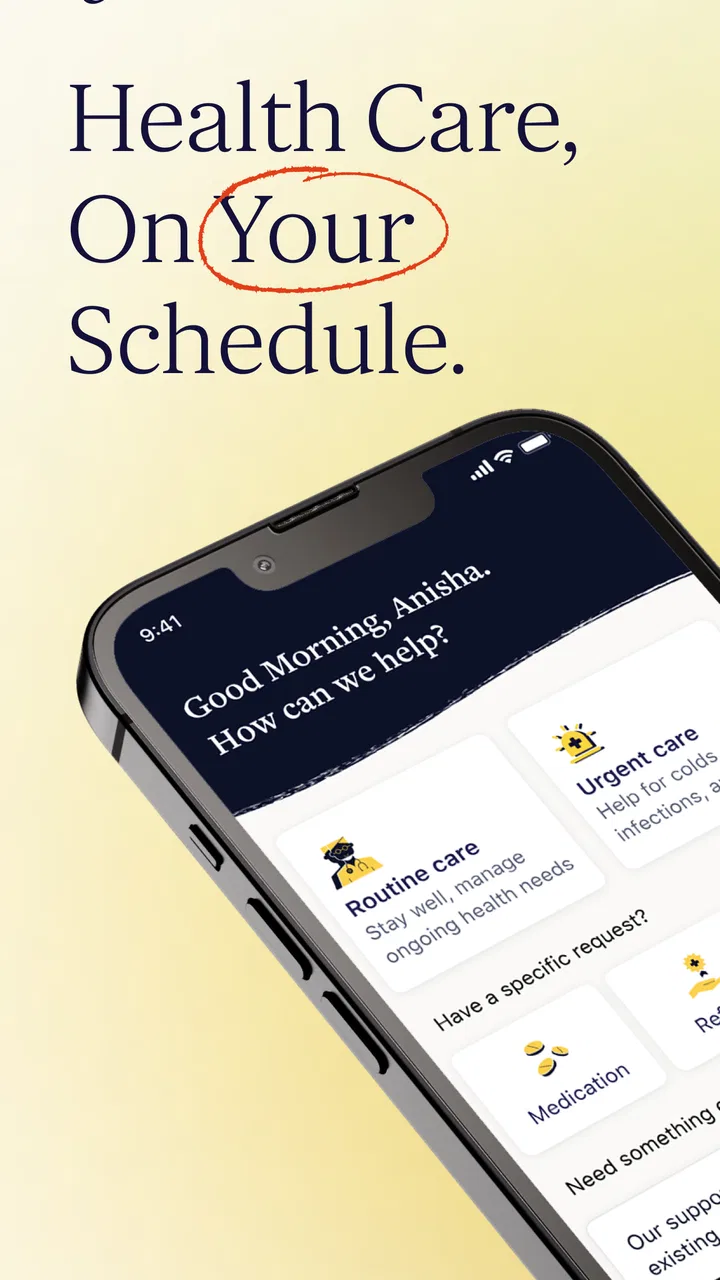
When I look at a medical app, I do not judge it by convenience alone. I want to know whether it helps me reach appropriate care, whether I understand what I am sharing, and whether I still have control over the next step. Galileo: Medical Care is built around that practical question. Developed by Galileo Health, it presents itself as a way to access medical care around the clock rather than as a simple symptom checker or a library of health articles.
That distinction matters. A symptom-search tool can help me prepare questions, but it can also leave me guessing about urgency. A traditional clinic may offer a deeper in-person examination, but getting an appointment can take time. Galileo sits between those experiences, aiming to make professional medical support easier to approach through a phone. In my view, its strongest appeal is not that it replaces every part of healthcare; it is that it can make the first step less awkward when the issue is important but does not obviously require an emergency room.
The app is free, rated for Everyone, and belongs to the Medical category. Its average rating is 4.8 from around five thousand ratings, while its broader reach is shown by over one hundred thousand installs. Those figures suggest that many people find the service useful, but they do not remove the need to think carefully about privacy, clinical limits, and whether remote care matches a particular problem.
You May Also Like

 Blood Strike: 2.5 Anniversary
Blood Strike’s Loadouts Turn Every Drop Into a Tactical Gamble
A close look at Blood Strike’s custom loadouts: how fast access to signature weapons reshapes its battle royale rhythm, rewards preparation, and narrows the gap between fights.

 Pandora - Music & Podcasts
Pandora’s Music Is Easy to Start, but Harder to Recover
Pandora’s strength is its low-effort path from a seed to a station. Its weak spot is how much confidence it asks you to place in connection, setup, and quiet recovery.

 8 Ball Pool
 Is Built on Rivalries, Rematches, and Routine
A close look at the rivalries, rematches, shared routines, and unanswered safety questions that turn a quick pool match into a persistent mobile community.

 Samsung Music
’s Quiet Strength Is Playing What You Already Own
Its reach comes less from spectacle than from dependable access to a personal library. That simplicity is both the app’s strongest retention engine and its ceiling.

 AccuWeather: Weather Radar
AccuWeather Review: A Quick, Clear Forecast for Everyday Decisions
For everyday plans, the best forecast is the one you can understand quickly. AccuWeather makes rain timing, radar, and local conditions easy to act on, with a few trade-offs.

 Hill Climb Racing
Why Hill Climb Racing Still Turns Crashes Into One More Run
A tiny car, a bumpy hill and one more upgrade: Hill Climb Racing keeps resurfacing because its simple chaos makes every near-miss feel personal.
More From Our News Desk



What using Galileo feels like when trust matters
I see trust as something built through small, deliberate choices, not simply through opening a medical app. Before describing a concern, I would decide what I need help with, prepare the relevant details, and consider whether this is suitable for remote care at all. That mindset makes the experience more useful while keeping the next decision—whether to continue in the app or seek care elsewhere—firmly in my hands.
A medical service rather than a search box
The first useful way to understand Galileo is to stop treating it like an ordinary wellness app. I would not open it expecting a collection of generic reminders, fitness challenges, or motivational content. The store summary focuses on medical care available around the clock, and the experience is oriented toward connecting a user with care rather than merely displaying information.
That makes the app most relevant when I have a health concern and need help deciding what to do next. For example, imagine developing a persistent sore throat late in the evening, with no regular appointment available until several days later. I might use Galileo to explain the symptoms, describe how long they have been present, and ask what level of care makes sense. The value is in organizing that conversation and getting medical guidance without first having to solve the scheduling problem.
It is important not to confuse access with certainty. A remote consultation may be useful for discussing symptoms, medication questions, or a condition that can be assessed through a conversation and the information I provide. It is less suitable when a clinician needs to examine a physical sign directly, perform a test, or observe something that cannot be described reliably through a screen. I would also treat severe or rapidly worsening symptoms as a reason to seek urgent local help instead of waiting for an app-based response.
Why the developer and the service model affect confidence
Galileo Health is clearly associated with the service, which is helpful because medical care should not feel like an anonymous chatbot. Still, a recognizable developer name is only one part of trust. I pay attention to the account setup, the information requested, the explanations shown before I submit sensitive details, and the choices available after a consultation begins.
Health information is unusually personal. Even a short description can reveal a condition, a medication, a concern about mental or sexual health, or a family situation. I therefore recommend opening the app first when I am calm, reading the account and privacy prompts instead of tapping through them, and deciding whether I am comfortable continuing before writing a detailed history. That small habit gives me more control than trying to understand the implications after I have already submitted everything.
The app’s current version is 2026.08.21, and it supports Android 9 or later. That is useful for people using older but still supported phones, although I would still keep the operating system and the app updated when possible. Medical software can depend on reliable notifications, secure sign-in behavior, and compatibility with the phone’s current security environment. An update is not a guarantee of perfect privacy or performance, but an outdated installation is rarely the best starting point for a sensitive service.
What I would check before sharing a health concern
Before using Galileo for a real consultation, I would review the visible account controls and any privacy information presented during setup. I would look for ways to manage personal details, understand communication preferences, and identify how to stop using the service if it no longer fits my needs. I would also check whether the app clearly separates medical communication from general notifications, because a health-related message appearing on a shared lock screen can create an avoidable privacy problem.
This is not about assuming that the app handles information badly. It is about making a deliberate choice at the moment when the information is most sensitive. I would avoid entering a diagnosis as though it were confirmed, avoid copying a complete medical record unless it is genuinely needed, and describe only the relevant history in clear language. A concise timeline is often more useful than a long, unfocused paragraph: what started, what changed, what I tried, and what I am worried about.
That workflow also improves the quality of the interaction. If I prepare the name and dose of a medication, known allergies, important conditions, and the timing of symptoms before opening the consultation, I can answer questions more accurately. I would not rely on memory for medication details when the packaging or an existing list is available. This is a practical advantage of using the app thoughtfully: better input can lead to a clearer conversation without requiring me to overshare unrelated information.
Data-sensitive moments are easy to overlook
The most sensitive point is not necessarily account creation. It may be the ordinary conversation that follows. A user can begin with a mild question and then disclose much more once the interaction feels reassuring. I would pause before adding photographs, documents, or extensive background information and ask myself whether that material is necessary for the question I am trying to answer.
I would also be careful on shared devices. Even if the app offers sensible account protections, a family member who can unlock the phone may see notifications, recent activity, or information left in the app. Using a device passcode, checking notification previews, and signing out where appropriate are simple ways to reduce accidental exposure. These are user-side habits, not claims about a particular permission or policy, and they matter because medical privacy is affected by the whole device environment.
Another useful habit is to separate urgent decisions from record keeping. If I am worried about a serious symptom, I should not spend time composing a perfect history inside the app. I would seek immediate local assistance first when the situation calls for it. Galileo can be a convenient route to medical guidance, but convenience should never become a reason to delay emergency assessment.
Where Galileo can fit into an everyday routine
I see the app working best for people who want a lower-friction way to start a medical conversation. Someone who works irregular hours, cares for children, travels frequently, or struggles to arrange a routine appointment may appreciate being able to begin from a phone. The service can also help a person turn vague worry into a structured question: whether symptoms deserve attention, what information to bring to a clinician, or what kind of follow-up may be appropriate.
For a recurring issue, I would use a simple preparation routine. I would note when the symptom appears, what makes it better or worse, and whether anything new changed around the same time. Then I would use Galileo to discuss that pattern rather than sending isolated messages with no context. This is one of the less obvious ways to get more value from a remote-care app: the quality of the timeline can matter as much as the speed of opening the consultation.
Parents and caregivers should think about the same process from another angle. If I am asking about someone else, I would make sure I have the relevant details and understand whose information is being entered. I would not assume that a convenient account automatically makes every family situation straightforward. The app may be useful for organizing a question, but the person receiving care still needs appropriate clinical attention and, when necessary, in-person evaluation.
How it compares with familiar alternatives
Compared with searching the web, Galileo offers a more direct path toward a medical conversation. Search results can be broad, contradictory, and alarming, while an app focused on care may help me frame the issue more personally. The trade-off is that I am placing more trust in a service connected to an account and a care process, so I should pay closer attention to the information I submit and the controls available to me.
Compared with a standard clinic, the app may be easier to approach outside ordinary scheduling routines. It can reduce the effort involved in describing a concern and finding an initial point of contact. The limitation is that remote communication cannot provide every examination, test, or local service that an in-person clinician can. I would choose a clinic when continuity, physical examination, testing, or a complex history is central to the problem.
Compared with an emergency service, Galileo is not the option I would use for a crisis. A medical app can support a non-emergency decision, but it should not become a filter that delays urgent help. The right comparison is therefore not “which service is best overall?” but “which level of care matches this situation?” Galileo makes sense when I need medical guidance and access is the main obstacle, not when immediate intervention is the concern.
Who should consider it, and who should skip it
I would recommend trying Galileo to adults who are comfortable communicating health concerns digitally and who want a convenient route to medical care. It may suit people who need help outside a familiar appointment routine, people who prefer preparing their thoughts in writing, and users who understand that remote care is one part of a wider healthcare plan.
I would be more cautious if I wanted a complete replacement for a personal doctor. The app is not the right choice for someone who needs regular physical examinations, complex coordination between specialists, or immediate hands-on treatment. It may also frustrate users who expect every question to be resolved in one interaction. Medical care often involves follow-up, uncertainty, and decisions that cannot be finalized from a phone conversation alone.
I would also skip relying on it as a diagnostic shortcut. The responsible use of Galileo is to explain what is happening accurately, consider the guidance, and follow through with another level of care when advised. If I use it mainly to seek reassurance for a symptom that is getting worse, I am using convenience in the wrong direction.
Small choices that improve control
My preferred approach would be to install the app, inspect the sign-in and communication choices, and only then decide whether to begin a medical request. I would use a private device where possible, review notification visibility, and keep the app limited to the information relevant to the question. After the interaction, I would read any next-step guidance carefully rather than treating the end of the conversation as proof that the issue is finished.
I would also keep my own notes outside the app when appropriate: the date of the consultation, the advice received, and any follow-up action. That gives me a clear personal record without repeatedly reopening the same conversation or entering unnecessary details. If the advice includes contacting a local clinician, arranging testing, or monitoring a change, I would treat those instructions as part of the care process rather than optional extras.
These habits are especially valuable because the app’s convenience can make medical communication feel casual. It is still a healthcare interaction. A calm, accurate description and a deliberate review of visible choices protect both the quality of the consultation and my sense of agency.
My cautious verdict
Galileo is most convincing as an accessible starting point for non-emergency medical care, not as a universal substitute for healthcare. I like the idea of having a focused route to professional guidance when a traditional appointment is inconvenient, and the strong user rating indicates that the experience has earned meaningful approval from many people. Its free price also lowers the barrier to trying the service, while the Everyone age classification makes its general audience clear.
My recommendation comes with boundaries. I would use it for a well-prepared question, a concern that needs medical direction, or a situation where timing makes ordinary scheduling difficult. I would not use it to handle an emergency, replace examinations and tests, or avoid a clinician who already understands a complicated history. I would also make privacy a routine part of using the app: read the prompts, check the account controls, limit unnecessary disclosure, and think about who can see the phone.
For me, that balance is the reason to consider Galileo Health. It can reduce the distance between a health concern and a sensible next step, provided I remain an active participant rather than handing over every decision to the app. If you want a convenient medical-care channel and are willing to respect the limits of remote support, Galileo is worth exploring. If your situation requires immediate treatment, hands-on assessment, or long-term clinical continuity, a different healthcare route will be the better choice.
FAQs for Galileo: Medical Care
01What is Galileo: Medical Care, and what services does it provide?
Galileo: Medical Care is a digital healthcare service designed to connect members with medical professionals through a mobile app. Depending on your plan and location, it may provide virtual consultations, medical guidance, care coordination, health information, and support for common conditions. Available services can vary, so review the membership details and regional limitations before downloading or scheduling an appointment.
02Do I need a membership or insurance to use Galileo: Medical Care?
Access to Galileo: Medical Care generally depends on eligibility through an employer, health plan, insurer, or another participating organization. Some users may have access included in their benefits, while others may need to pay a subscription or service fee. Before creating an account, check whether your organization supports Galileo and confirm any costs, copayments, or uncovered services.
03Can I speak with a doctor through the Galileo app?
The app is primarily intended to provide convenient access to healthcare professionals through digital communication. Depending on your location, account type, and medical concern, you may be able to request a virtual consultation, exchange messages, or receive follow-up guidance. However, provider availability and response times can differ, and some conditions may require an in-person examination.
04Is Galileo: Medical Care suitable for emergencies?
No. Galileo: Medical Care should not replace emergency services or immediate medical attention. If you are experiencing severe chest pain, difficulty breathing, signs of a stroke, serious injury, uncontrolled bleeding, or another life-threatening symptom, call your local emergency number or go to the nearest emergency department. Use the app for appropriate non-emergency care and medical support.
05What personal and health information does the Galileo app require?
To provide healthcare services, Galileo: Medical Care may request personal details, contact information, insurance or eligibility data, medical history, symptoms, medications, and other health information. Because this is sensitive data, review the app’s privacy policy, consent notices, and account permissions before using it. Also, protect your login credentials and avoid sharing your account with others.
Pros
- Quick access to virtual doctor consultations from your phone.
- Helps manage appointments and medical care in one place.
- Useful for contacting healthcare professionals outside office hours.
- Digital prescriptions and medical documents can simplify follow-up care.
- Convenient option for users with limited access to nearby clinics.
Cons
- Availability of doctors and services may vary by location.
- Some consultations may require payment or insurance coverage.
- A stable internet connection is needed for video appointments.
- Not suitable for emergencies or conditions needing physical examination.
- App features may depend on your healthcare plan or region.

Galileo: Medical Care
Gallery